1. Prepare the album and the light
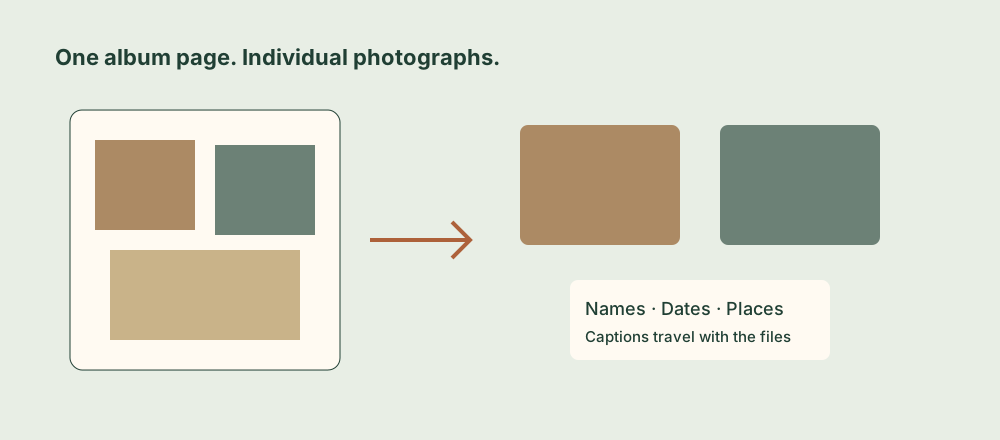
An album page is a useful record in its own right: the arrangement, handwriting, and neighboring pictures can help explain when and where a photograph was taken. Start by preserving that context, then create separate copies that family members can view and share easily.
Choose a table with soft, even light. Avoid a bright reflection across glossy prints or plastic sleeves. If a lamp reflects in the page, move the light or the album before capturing; stronger editing afterward will not restore an image hidden behind glare. Support the album so the page lies as flat as it comfortably can.
Leave prints attached when removing them could damage the photograph or the page. Do not force a stiff binding flat. If a page is fragile or tightly curved, work in smaller sections and consider specialist help for material that cannot be handled safely.
2. Photograph one page carefully
- Keep the phone parallel to the page. Center the camera over it rather than photographing from one side. Angled captures make rectangular prints appear distorted.
- Fill the frame without cutting anything off. Include the full edges of the photographs you want to extract. Check the corners of the album page and your own shadow.
- Hold still and inspect a test capture. Enlarge a face or small detail. If it is soft, improve focus and stability before continuing through the album.
- Keep the page image. It preserves the arrangement and any writing, even after you have saved the individual prints.
Open Unmounted and use the camera or choose the page capture from your photo library. If the original is stored only in iCloud, allow it to download before expecting a quick import.
Each extracted photo gets only part of the detail in the page capture. If one print matters especially, photograph it separately as well. A larger exported pixel count cannot create detail that was absent from the original capture.
3. Review the detected photographs
On the Detected Items screen, Unmounted places boxes around the photographs it finds. Treat this as a first pass: dark paper, overlapping prints, pale borders, and decorative album elements can make detection harder.
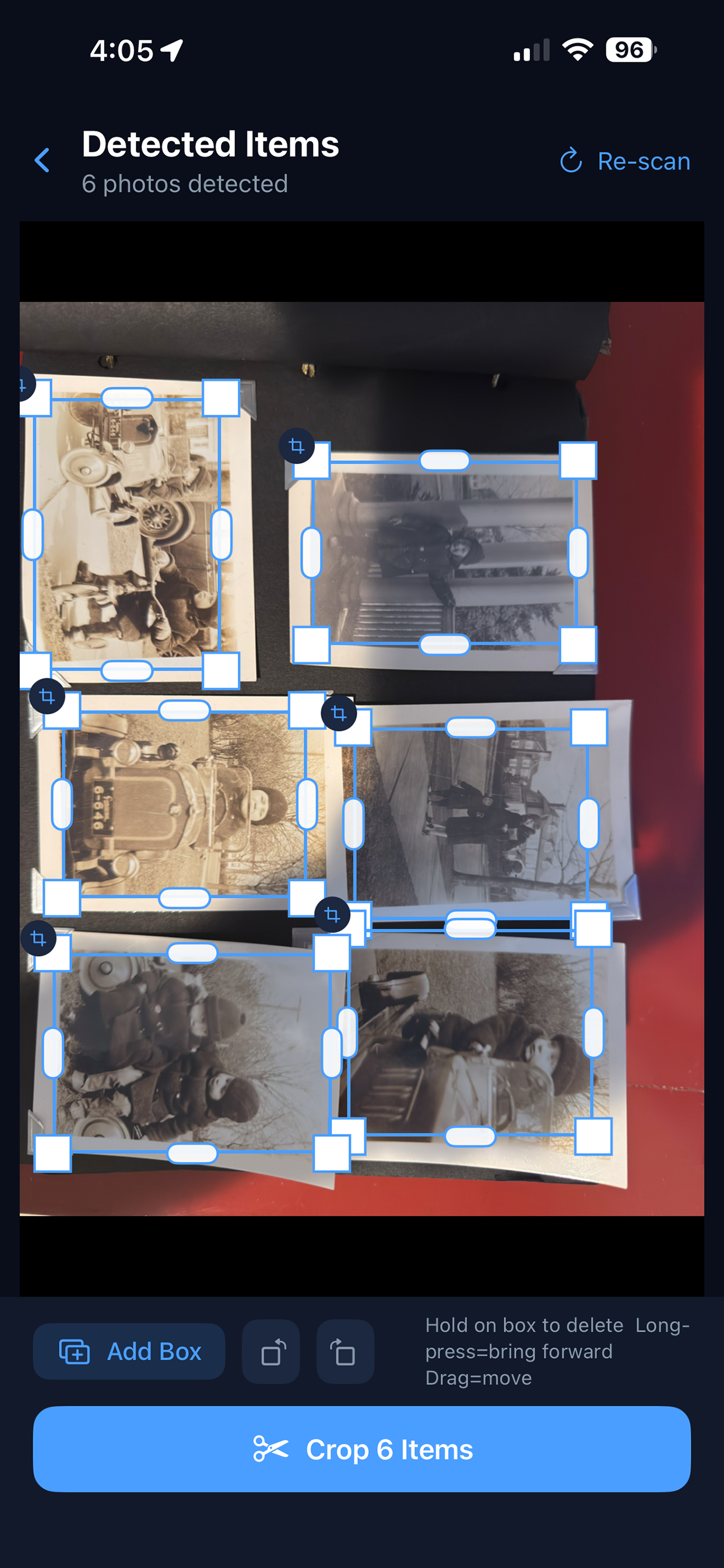
- Refine a corner: drag its white corner handle until it follows the photograph’s edge.
- Adjust one edge: drag the capsule-shaped handle on that side.
- Move a box: drag inside it without pulling a handle.
- Add a missed print: tap Add Box, then draw a rectangle around it.
- Reach an overlapping box: long-press to bring it forward, then adjust it.
Check that a box does not include the edge of the neighboring photograph. If a print is partly hidden under another, the app can extract only the portion visible in the capture; a crop cannot uncover covered image content. Use Re-scan if you want another detection pass, then review the boxes again before tapping Crop.
4. Refine and caption each image
Rotate the extracted photographs into a readable orientation. If they all need the same rotation, the rotation controls on Detected Items apply the change when the photographs are cropped. For mixed orientations, check each extracted result individually.
Try Auto Enhance as a starting point, then make modest adjustments to exposure, contrast, highlights, shadows, or warmth. Keep a faithful copy before applying a strong vintage filter: the original photograph may already have a distinctive color or paper tone worth preserving.
Add a caption with the names, place, and date you know. Mark uncertain information honestly: “Possibly Joan and Peter, circa 1950, location unknown” is more useful than turning a guess into an exact date. Include a page or album reference when that will help reconnect the individual image to its source.
Unmounted writes captions into IPTC metadata before saving to Photos. Check an exported file in a tool that reads IPTC, especially if you plan to share through a service that might strip metadata. Keep a separate album index for information that must survive every sharing method.
5. Check a small batch before doing the whole album
| Check | What to look for |
|---|---|
| Count | Every visible print you wanted has a saved copy, with no accidental duplicate boxes. |
| Edges | No faces, signatures, or important borders were clipped. |
| Sharpness and glare | Fine details remain readable, and reflections do not obscure the subject. |
| Captions | Names and dates belong to the correct photograph. |
Save the finished images to Photos and make a separate backup of both the page captures and the individual files. Unmounted does not reopen its saved editing sessions; use Photos or another editor for later changes to exported images. For detection and saving questions, see Unmounted support.