macOS
Apple silicon and Intel Macs. The bundled reader is Developer ID signed and Apple notarized.
Download for macOSLightroom Classic plug-in
Find camera settings, GPS, and supported shutter counts. Compare what Lightroom has in its catalog with what’s in the original and its XMP sidecar.
Version 1.5.1 macOS + Windows
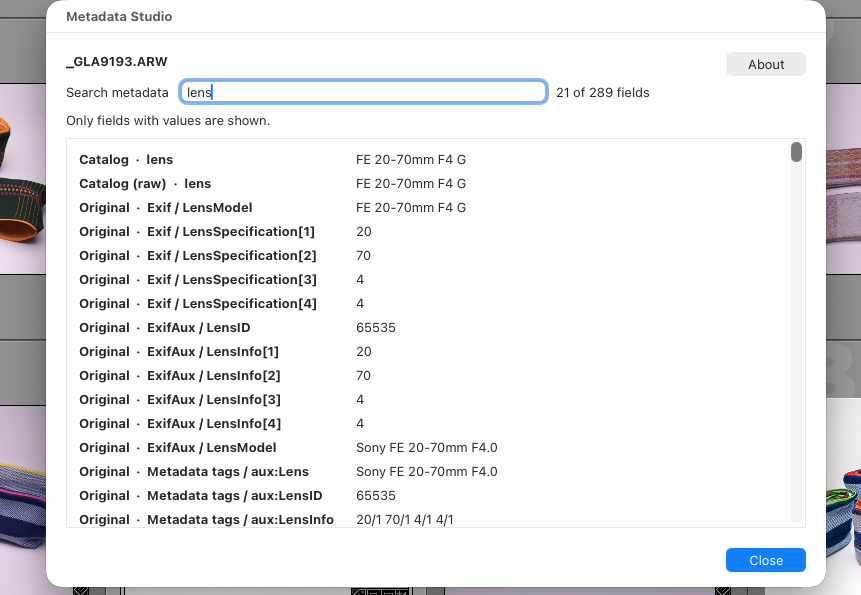
Metadata sources
Search by field name, value, or source. Long values wrap, and fields without values are omitted.
1/125 sec for exposure time.0.008 seconds for the same exposure..xmp file beside the original, when one exists.Version 1.5.1
Extract the ZIP and add the whole Metadata Studio.lrplugin folder in Lightroom Classic’s Plug-in Manager.
Apple silicon and Intel Macs. The bundled reader is Developer ID signed and Apple notarized.
Download for macOSWindows 11. Uses the included Windows PowerShell and .NET Framework. The bundled reader is unsigned.
Download for WindowsMetadata is read locally. ExifTool installation is unnecessary. See installation steps.
Common questions
Yes, when the original records a count that the reader supports. Examples include Sony α7R V ARW originals and supported Nikon files. Search for shutter count.
Lightroom’s catalog, the original image, and an XMP sidecar can each contain a value for the same field. The source label shows where each one came from.
You can still browse fields from the Lightroom catalog. Reconnect the original drive to read metadata stored in the image file.